Development Log
16th November 2026
- Two busy days since our last update, and lots of new things to show you! Here is everything that is new, changed and fixed since the 14th of November.
Writing and profiles
- Added: The Story builder (Beta). Lay out your text with blocks instead of one long box: text, pictures, picture strips, character sheets, quotes and poems, chapter headings with a big first letter, dividers, letters and diary pages with a wax seal, fold-out secrets that visitors open with a click, and blocks side by side in two or three columns. Blocks can have their own font and a frame from the site's painted art. You will find it on your character profile and on adventures, chronicles, events, kinships and organisations: press Story builder (Beta) on your profile, or above the text box while you write. It is completely optional. The usual text box stays just as it was, opening the builder never changes your text, and your drafts keep working.
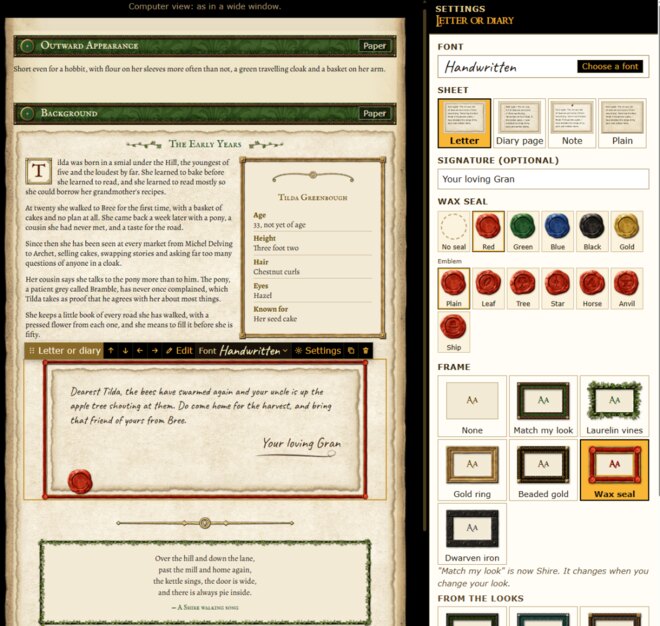
- Added: Paper for your text: Plain parchment, Aged letter, Diary ruled or Note card. On a profile each section can have its own paper.
- Added: My own. Bring in your own dividers and ornaments once, and use them on every page you build.
- Added: Pictures in the builder can be made bigger or smaller by pulling their edge, and the text beside them makes room.
- Added: Check my pictures lists the pictures in your text and tells you when one no longer shows for others, for example a picture that was removed or one kept on Photobucket.
- Added: Looks for your character profile. Press Change look on your own profile and choose Classic or one of seven painted looks: Elven, Dwarven, Rohan, Gondor, Shire, Corsair or Shadow. A look dresses every title bar of your profile and brings its own fonts, and you see your profile change before you save anything.
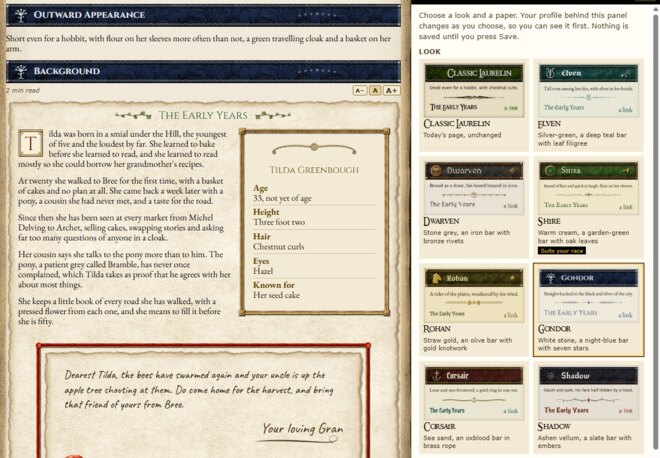
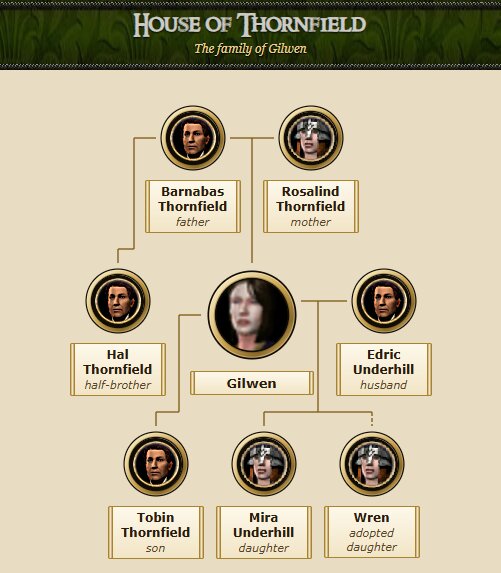
- Changed: The portrait frames of the family trees are now painted, and there are eight new frames to match the profile looks.
The front page
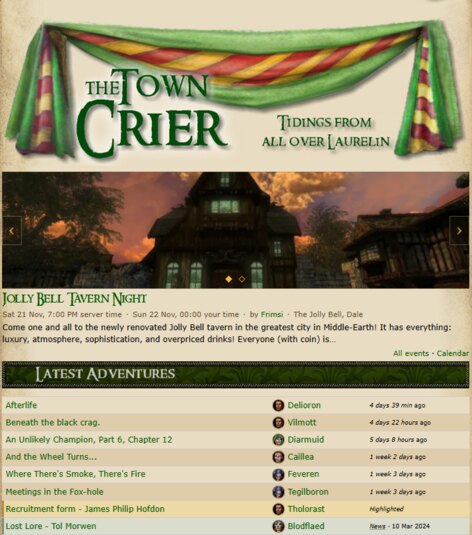
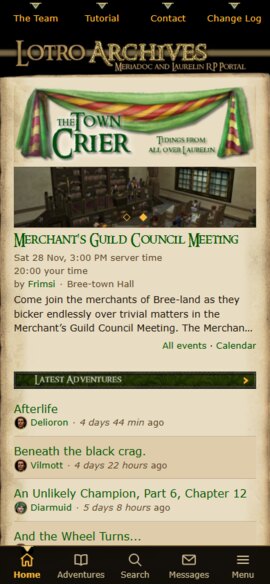
- Added: The upcoming events now turn slowly under the Town Crier, each with its start in server time and in your own time, and All events and Calendar links underneath.
- Added: A highlighted adventure (a different one on every visit, in its own warm tint) and the newest news post, as the last rows of Latest Adventures.
- Changed: Latest Adventures shows the 10 newest, and clicking a title banner such as Latest Adventures or Latest Artwork takes you to the whole list.
- Added: The Character Highlight at the top of the right column: a different well filled-in character on every visit, with a few words from their profile, one of their stories and a picture from their gallery. Press Show another character to meet the next one. Rather not be in it? Tick Don't show my character or my adventures in the highlights in your Preferences.
- Changed: The black side columns are wider on computers.
Events
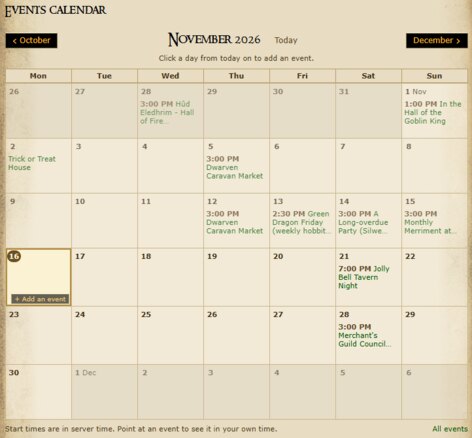
- Added: An events calendar, under Community in the left menu and at the foot of the events on the front page. See a whole month at a glance and point at an event to see when it starts in your own time. If you may add events, click a day to start a new event on that day.
- Changed: On the other pages the Events box in the right column shows the next event, with All events and Calendar.
Lanterns lit
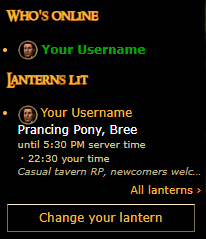
- Added: Lanterns lit. In game and up for roleplay? Light your lantern and say where to find you, now or a little later, for one, two or three hours, with a short note if you like. Others can press I'll come by so you know they are on their way, and the lantern goes out by itself when its time is up. You will find Lanterns lit in the left column under Who's online, and in the Menu on phones.
- Added: Notify me when someone's Lantern lights up. Tick it in your Preferences to get a notification under the bell (and a push if push notifications are on) whenever someone lights their lantern. It is off until you tick it, and it never sends an e-mail.
Kinships and organisations
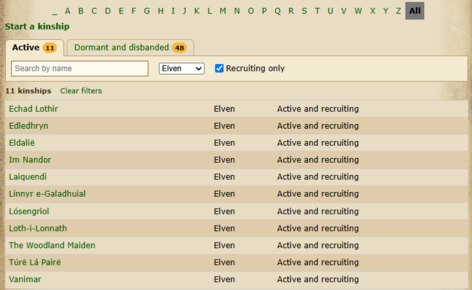
- Added: Start your own kinship or organisation page with Start a kinship or Start an organisation at the top of the lists. Your page waits for the team's approval, and you can keep changing it in the meantime.
- Changed: The Kinships and Organisations lists show the active ones first, with the dormant and disbanded ones on a tab of their own. Filter right on the page by name, by race and by recruiting only, and on the Organisations list by Organisations only (without the music bands).
Finding your way
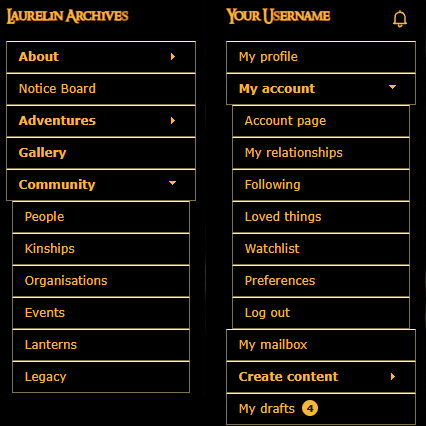
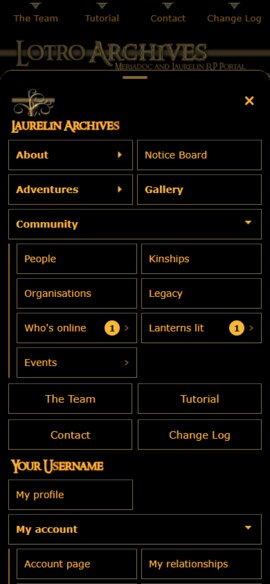
- Changed: The menu in the left column has groups that open and close: About (About the Archives and Rules), Adventures (All adventures and Chronicles) and Community (People, Kinships, Organisations, Events, Lanterns and Legacy).
- Changed: Your own menu has a My account group with your Account page, My relationships, Following, Loved things, Watchlist, Preferences and Log out.
- Added: Preferences. All your settings on one page: hiding AI pictures, theme music, Friends Activity, your Preferred editor, notifications and e-mails, and your privacy choices. You will find it under My account, and as the Preferences tab on your account.
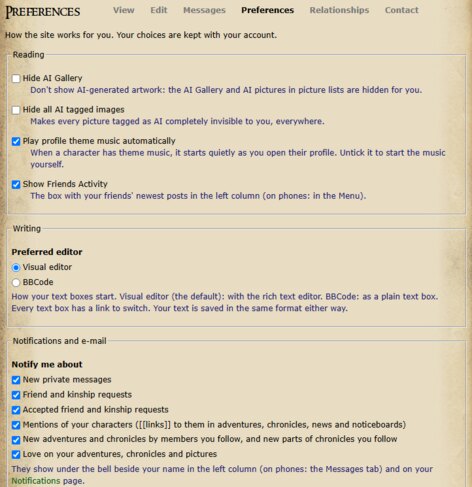
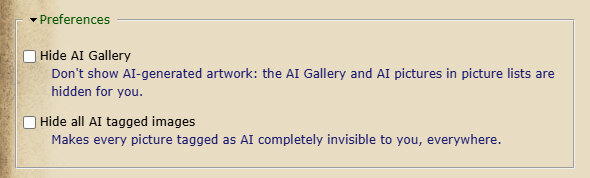
- We hear you, and we have been listening. As a community built on creativity, we want to respect the work and the craft of artists, and that is why we wish to be more transparent about AI on the Archives, above all when it comes to pictures. We kindly ask everyone to treat members who have AI pictures on their profiles with the same warmth as you would anyone else. If you would like to avoid AI generated images, you can keep AI pictures out of sight in your Preferences: tick Hide AI Gallery, or Hide all AI tagged images to hide them everywhere on the site.
Editor's note: removed part of this entry to better support the "your own choice" solution for AI imagery. This was the removed section, which is no longer relevant: Within the next couple of months, AI pictures will no longer be allowed, just as AI is already not allowed in writing. We are not doing this overnight, because many members already have AI pictures on their profiles, and we want to give everyone the time to make the change. As a first step, it will soon no longer be possible to add new AI art to the Gallery.
- Changed: Friends Activity shows your friends' posts of the last two weeks. Its title opens and closes it (it stays closed until you open it), and pointing at a post shows its preview card.
- Changed: On phones the Menu has the same groups, with Who's online, Lanterns lit and Events in Community, and the events turn under the Town Crier there too.
Legacy
- Added: The Legacy, under Community, with Legacy characters, In memoriam and Legacy kinships. A character kept in the Legacy keeps its name, with a small Legacy mark beside it, so a new member can take the same name. In memoriam remembers the members of our community who have passed away.
Smaller changes and fixes
- Changed: On adventures, chronicles, pictures, events and news, Love and Report now sit right under the post (on adventures above Continue the chronicle), and the row of links (Adventures about, View user page, Write to author, Follow and so on) is back at the bottom of the page.
- Added: A list of dates at the top of this Development Log, so you can jump straight to any entry.
- Fixed: A script error on the writing forms for members who write in the plain BBCode box.
- Fixed: Saving a form could quietly reshape a second text box you had not touched. It now stays exactly as it was.
- Fixed: Drafts no longer lose unsaved writing in rare cases, and Restore only brings back what the draft changed.
Happy writing, and see you on Meriadoc!
- The LOTRO Archives Web Team
14th November 2026
- A brand new chapter for the Archives! With the Laurelin server closing its doors, we have moved to a new server and given the whole site a full update behind the scenes. Everything came along with us: every adventure, chronicle, picture, profile, friendship and private message, and you log in just like before. From now on our focus is mainly on Meriadoc, and the site is now the LOTRO Archives: Laurelin & Meriadoc. Here is everything that is new, changed and fixed.
The Archives on your phone
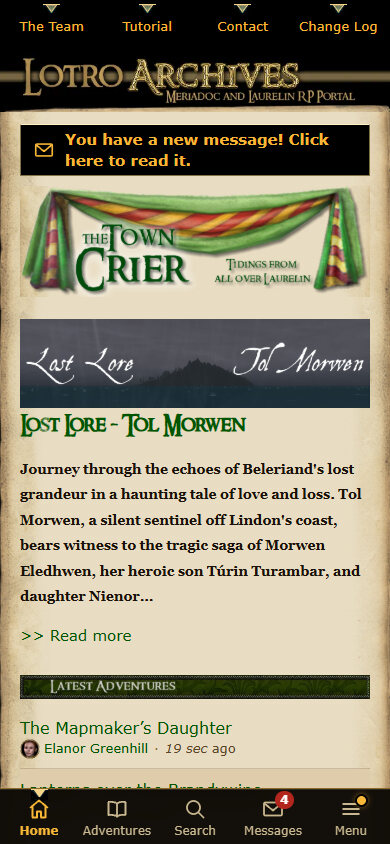
- Added: A proper phone version of the site. On phones the Archives now work like an app: one tidy column, a bar at the bottom with Home, Adventures, Search, Messages and Menu, and the Menu holds all your links, Who's online and Events. On computers everything stays as you know it.
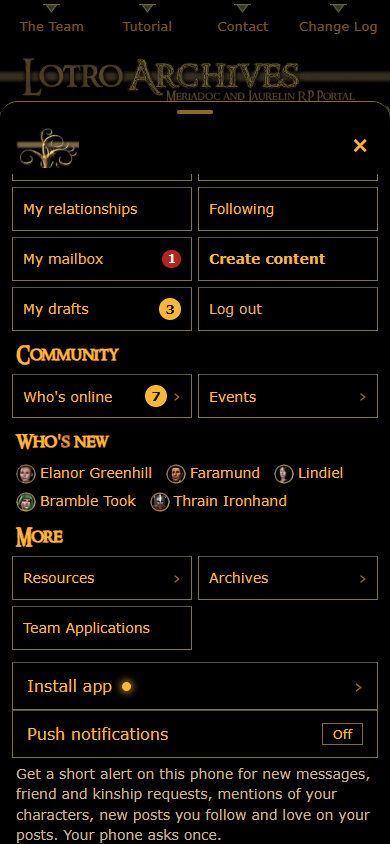
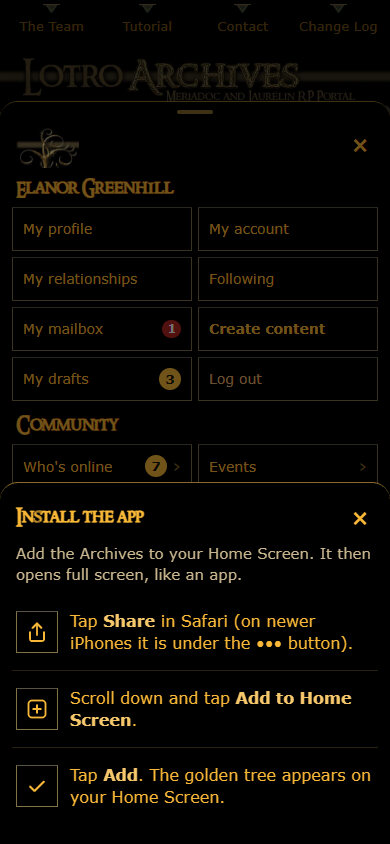
- Added: You can now put the Archives on your phone's home screen. It then opens full screen like any other app, with the golden tree as its icon.
On iPhone: open the site in Safari, tap Menu, then Install app, and follow the three steps (Share, Add to Home Screen, Add).
On Android: open the site in Chrome, tap Menu, then Install app, and confirm. No Install app in the Menu? Use Chrome's own menu (the three dots) and choose Install app or Add to Home screen.
Notifications
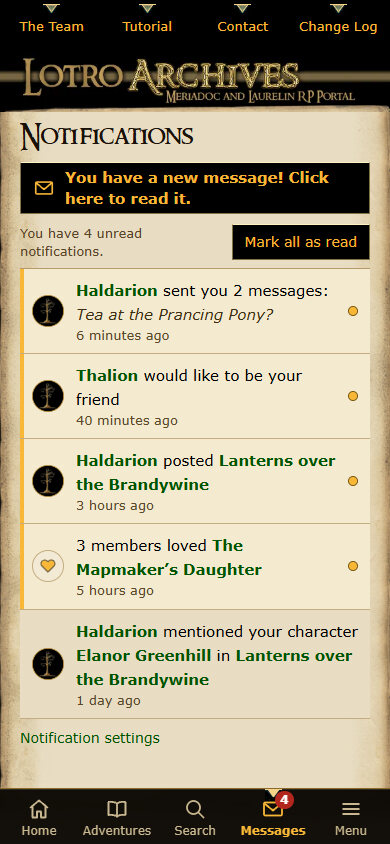
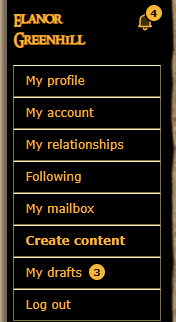
- Added: Notifications! A gold bell next to your name (and on the Messages tab on phones) tells you about new private messages, friend and kinship requests, mentions of your characters, new posts by those you follow and love on your posts.
- Added: Push notifications, so your phone or computer can let you know even when the site is closed. To turn them on:
On Android: tap Menu, then Push notifications, and allow it when your phone asks.
On iPhone: install the app first (see above, iOS 16.4 or newer), open it from your home screen, then tap Menu and Push notifications.
On a computer: go to My account, Edit, and under Notifications press Turn on next to Push notifications on this device.
You can pick which ones you want under Notify me about. A push never shows what a message says, only who sent it.
- Added: A Send a test notification button next to Push notifications (and under it in the phone Menu), so you can check your phone or computer really gets them.
Writing, profiles and stories
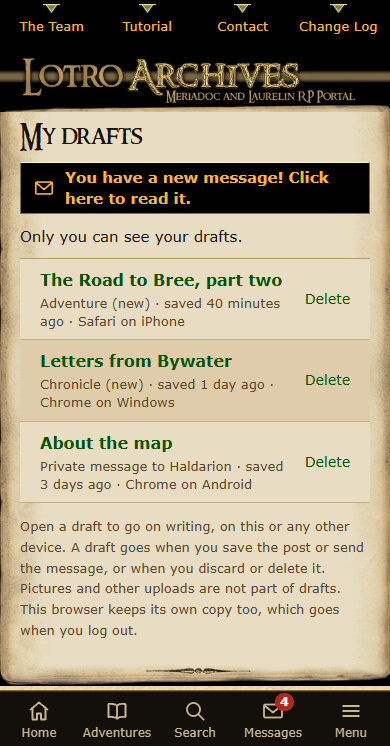
- Added: Drafts. Whatever you are writing is saved as you go, to your account, so you can even carry on from another device. You will find them under My drafts in your menu.
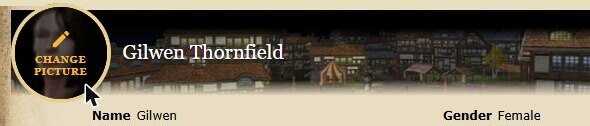
- Added: Profile pictures. Upload your own picture and crop it to a circle, and it shows next to your name all over the site. No picture yet? Then your race's portrait is shown.
- Added: Change your picture straight from your character's profile. Hover over your picture (or tap it on a phone) to upload a new one, adjust it or remove it.
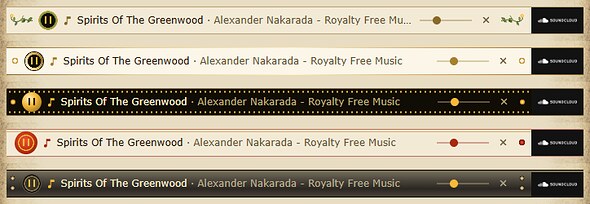
- Added: Theme music for your character. Add a SoundCloud link under Extras on your profile and pick one of five subtle player styles, and it plays softly when people visit. Rather not hear it? Turn it off under My account.
- Added: Family trees on character profiles. Build your character's family with the little + buttons around each portrait, choose a layout and one of five frames, and open the whole tree in full screen. You can also add half-brothers and half-sisters, a child with an unknown other parent, and family who are not related by blood, like an adopted child or an honorary uncle.
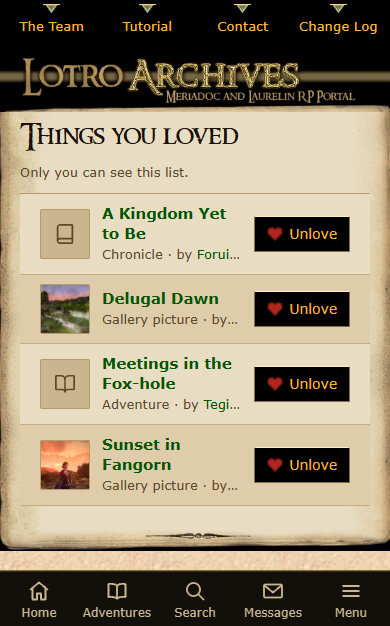
- Added: Love. Give a story or picture some love with the heart button under it. Only the author sees how many, and nobody ever sees who.
- Added: Loved things. Everything you have given love is gathered on one page in your menu, and only you can see it.
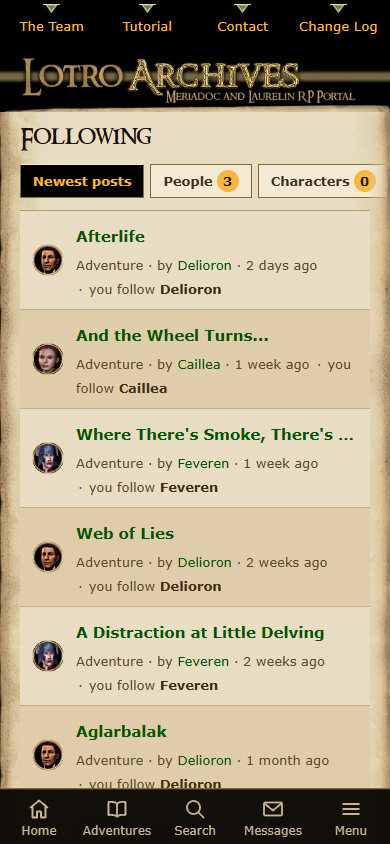
- Added: Following. Follow members, characters, kinships and chronicles, and find their new posts on your Following page.
- Added: Mentions. Put a character's name in double brackets in your story and their player gets a notification.
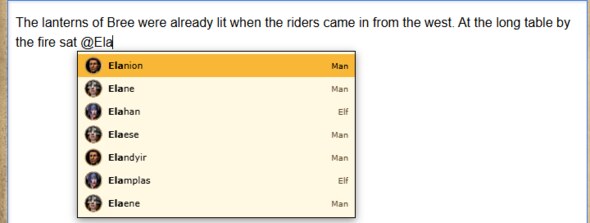
- Added: Quick links while you write. Type @ and the first letters of a name and pick it from the list: @ for characters, @@ for adventures and chronicles, @@@ for kinships and organisations. It writes the link for you, and a character's player still gets their mention.
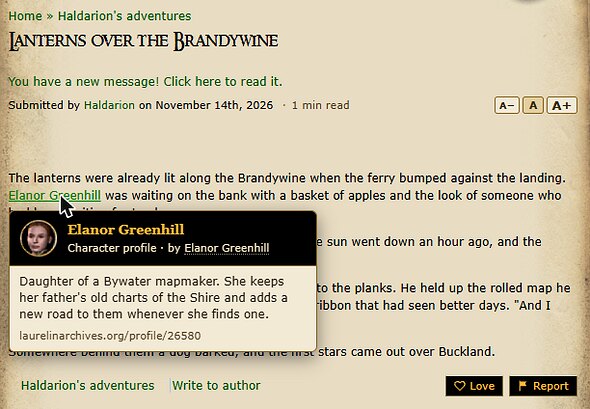
- Added: Link previews. Point at a link to a character, kinship, story or picture and a little card shows what it is. Plain web addresses now turn into links by themselves, and links to the Archives shared on Discord and the like show a proper preview.
- Added: A Report button under posts, for when something breaks the rules. Only the team sees your report.
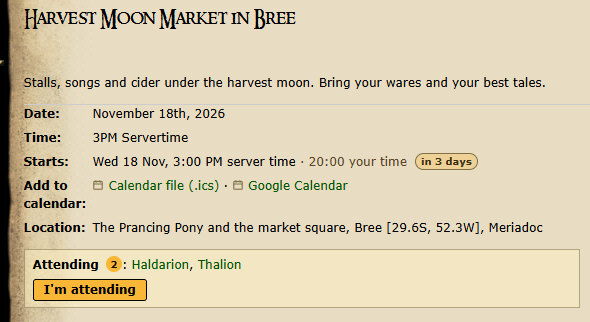
- Added: Events now show when they start in server time and in your own time, with a countdown, Add to calendar and an I'm attending button.
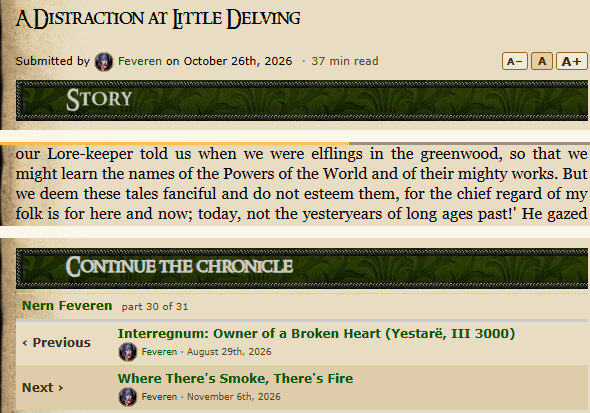
- Added: Reading time on stories, a text size button (A- A A+), a reading progress bar, and Continue the chronicle links to go straight to the next part.
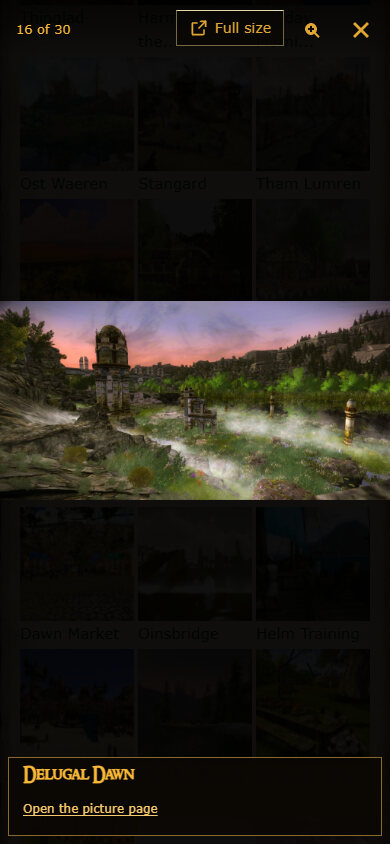
- Added: A new picture viewer in the Gallery: swipe or use the arrow keys, pinch to zoom and open the full size.
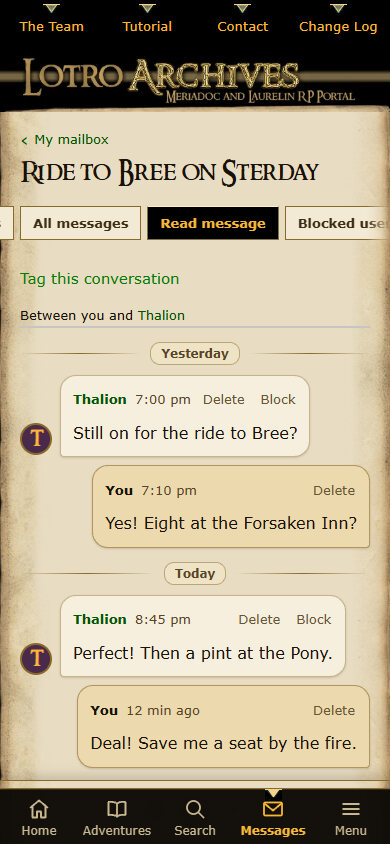
- Added: Private messages now read like a conversation, and your mailbox has a quick search.
- Added: More gender options on profiles, including your own words with Custom.
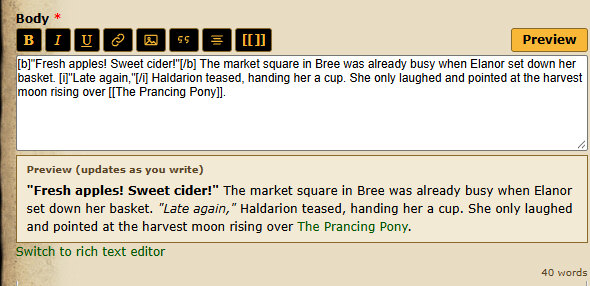
- Added: A toolbar with a live preview for the plain BBCode box, and every member can now choose their Preferred editor (Visual or BBCode) under My account.
- Added: Banners can now be any picture from 590 x 150 up. You move and zoom it into place yourself.
- Added: A weekly summary e-mail with the newest stories, upcoming events and news. It is off unless you turn it on under My account.
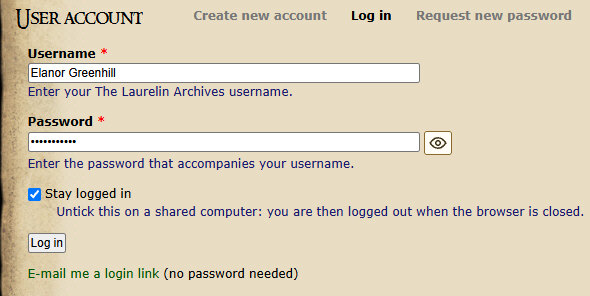
- Added: Stay logged in for 30 days, a button to show your password while typing, and E-mail me a login link for when your password has slipped your mind.
- Added: Two new choices under My account, in Preferences. Hide AI Gallery hides the AI artwork on the front page and keeps AI pictures out of lists, and Hide all AI tagged images makes every picture tagged as AI completely invisible to you, everywhere.
- Added: A Suggestions button in the right column. Have an idea for the Archives? Send it to us there.
Changed
- Changed: The page is wider on computers, so stories, banners and pictures get more room, and the black side columns have more space too.
- Changed: Who's online shows the first 15 names on computers. Point at "and N more…" to see everyone else who is online, and point at any name in Who's online or Who's new to see a preview of their character.
- Changed: Character profiles show your picture twice as big, with your character's name right next to it.
- Changed: Outward Appearance on profiles now has its own title bar, just like Background.
- Changed: The member page has a fresh look, with your character and kinship side by side and your latest adventures.
- Changed: Clicking a member's name now takes you to their character profile.
- Changed: The profile form is tidier, with sections that fold away, and the Save button stays within reach while you write.
- Changed: Pictures in posts are never wider than the page any more, and long words and web addresses wrap instead of running off the side.
- Changed: A new header picture, and a refreshed About page.
- Changed: The Rules now have a section about AI. Writing with AI is not allowed on the Archives, and a short reminder shows above the Save button when you write.
Editor's note: to clarify, writing made entirely by AI is not allowed, while using AI to enhance your own writing is fine.
- Changed: Replies from the team to your contact messages now come from the Moderation Team, and the team's messages keep their line breaks.
- Changed: Posts and messages can no longer carry scripts, to keep everyone safe.
Fixed
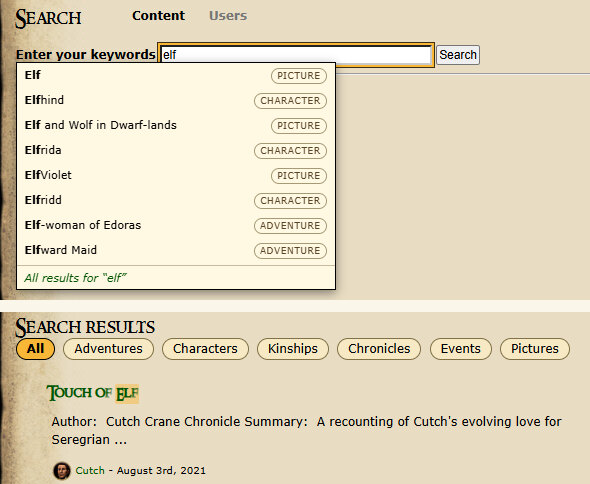
- Fixed: Search! It had quietly stopped picking up new posts years ago, so more than 24,000 posts could not be found. Every post can be found again, results show up while you type, and you can narrow them down to adventures, characters, kinships and more.
- Fixed: Picture tooltips showing odd codes instead of letters like é.
- Fixed: A gallery post that would not open.
- Fixed: Names of members without a character profile leading to Page not found.
- Fixed: A few hiccups right after the move, such as Who's online not updating and My profile sending some of you to Create Profile again.
- Fixed: Minor cosmetic bugfixes.
Faster
- Improved: Most pages load as fast as before or faster, and pictures are now up to 86% smaller to download, so the Gallery loads a lot quicker, especially on phones. Pictures further down a page only load once you scroll to them.
Thank you all for staying with us. See you on Meriadoc!
- The LOTRO Archives Web Team
14th August 2021
[-] Khalis - Retirement
[++] Tingruviel - Assistant Lead Moderator
25th April 2021
- Welcome to our new Members of Staff!
[+] Merako - Developer/System Administrator
9th January 2021
- Welcome to our new Members of Staff!
[+] Tingruviel - Moderator
29nd September 2020
- Welcome to our new Members of Staff!
[+] Haeneth - Community Reporter/Moderator
[+] Lleucu - Moderator
22nd August 2020
- Welcome to our new Community Reporters!
[+] Runderic - Community Reporter (also known as Fiontann)
[+] Galhdi - Community Reporter (also known as Leoffrith)
- Changed: Event listings no longer require for the Event Teaser field to be filled in; this is now optional.
- Changed: Chronicles no longer require for the Chronicle Summary field to be filled in; this is now optional.
- Changed: Users are now able to select ''Other'' or ''Prefer not to say'' when asked about their character's gender upon registering or editing one's profile. This is in beta-stages still and will remove the default portrait + location banner from profiles until this is fixed in future updates.
- Added: Users are now able to accurately select their content image uploads to be a ''Photograph'' in line with the updated Rules & Regulations
- Fixed: An issue where screenshots were mistaken for artworks.
- Fixed: A bug that logged out some users when accessing their Mailbox.
- Fixed: Minor cosmetic bugfixes.
- Removed: Over 15.000 never approved- and spam accounts.
9th August 2020
- Updated the Team page and information;
[-] Calenon - Retirement
[-] Amorey - Retirement
[++] Khalis - Lead Moderator
[+] Gaeded - Community Reporter
- De-cluttered Retired Member information.
- Changed and updated the Rules & Regulations
- Changed and updated our Legal Agreement (prompted once upon relogging/registering a new account).
- De-cluttered the About page; more changes will follow in the future.
- Added Change log header link to keep everyone up-to-date on changes and fixes.
- Added Recruitment Information page.
- Added a separate Team page link.
- Added ''Report User'' and ''Reporter Application'' options to Contact.
- Added the links ''RealElvish''' and ''The Dwarrow Scholar'' to Resource Links.
- Added a ''Preview'' option to Private Messages when composing a new message.
- Removed unnecessary duplicate Menu links.
- Minor bugfixes.